How Frondesk collects text-messaging consent
Frondesk is a personal AI assistant operated by Runaway Studios Inc. Users interact with it by text message. This page documents the full opt-in experience so it can be verified without creating an account.
How users opt in - account signup at frondesk.ai/signup
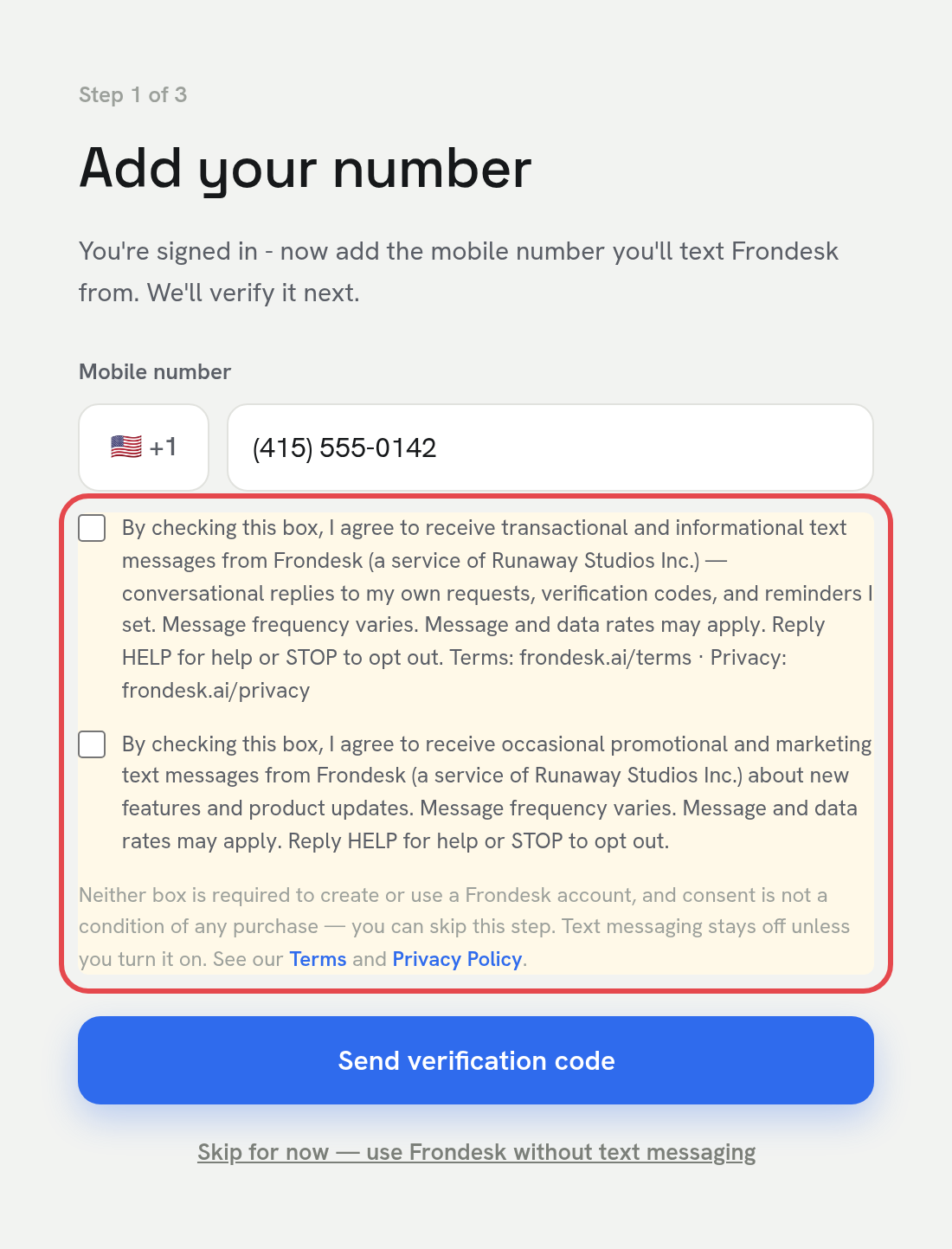
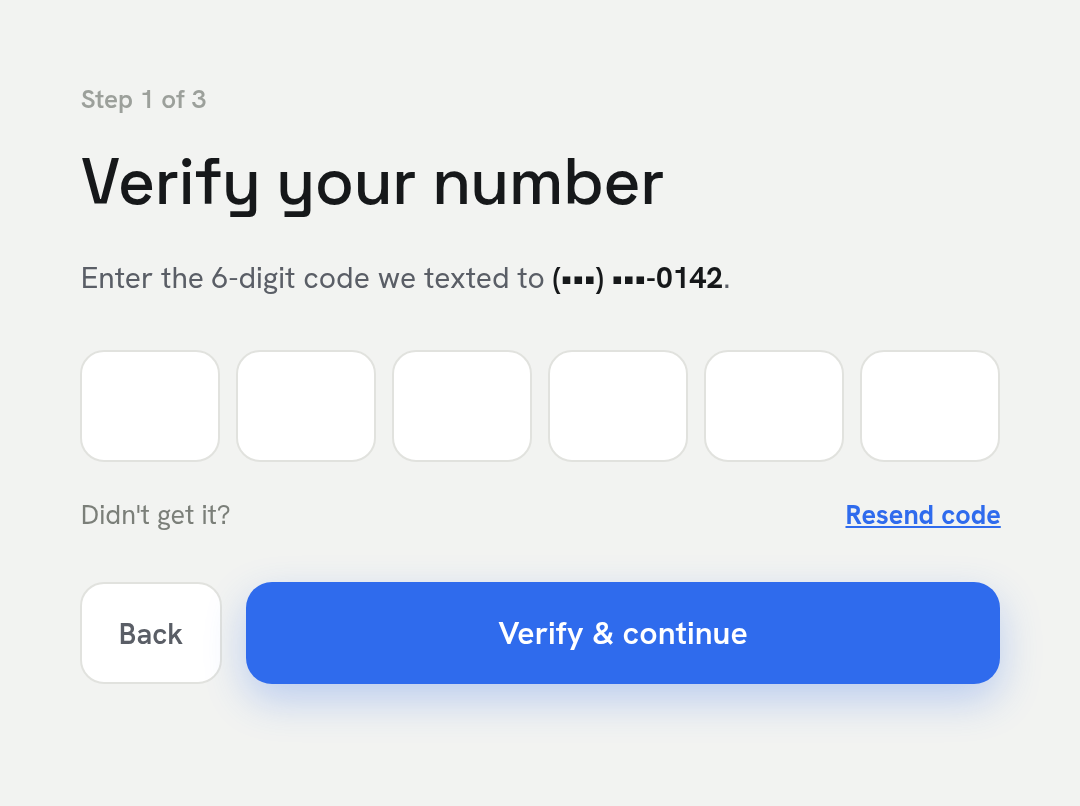
The user creates an account at frondesk.ai/signup (Google or Microsoft sign-in). During onboarding they reach an optional "Add your number" step. The step can be skipped entirely ("Skip for now — use Frondesk without text messaging") — a Frondesk account works without text messaging, and no consent is required to create or use it. If the user chooses to enable texting, they enter their mobile number and see two separate, unchecked-by-default checkboxes — one for transactional/informational service texts and one, always optional, for promotional/marketing texts. Each label carries the full consent language (quoted verbatim below and shown in the screenshots). The user then proves possession of the number with a one-time passcode texted to them - a verified (double) opt-in - and immediately receives the enrollment confirmation message quoted below. Website signup is the only way to opt in. Because this step happens inside the account area, the full consent experience is documented in the screenshots below.
After opt-in
Immediately after the number is verified, the user receives the enrollment confirmation:
From then on, verified users text the Frondesk number and the assistant replies in the same thread. Every outbound service message is a reply to the user's own request, a verification code, or a reminder the user set. Promotional texts about new features go only to users who ticked the separate marketing checkbox. Numbers that never signed up are ignored - Frondesk never replies to them and never imports contact lists.
Disclosures
- Message frequency varies - it depends on how often the user texts their assistant and the reminders they set.
- Message and data rates may apply.
- Opt out: reply STOP to any message (reply START to resubscribe).
- Help: reply HELP to any message, or email privacy@frondesk.ai.
- Terms and Conditions: https://frondesk.ai/terms
- Privacy Policy: https://frondesk.ai/privacy - states that mobile numbers and messaging consent are never shared with or sold to third parties or affiliates for marketing or promotional purposes.